SVG vs PNG: when to use each
Last updated: 9 November 2026.
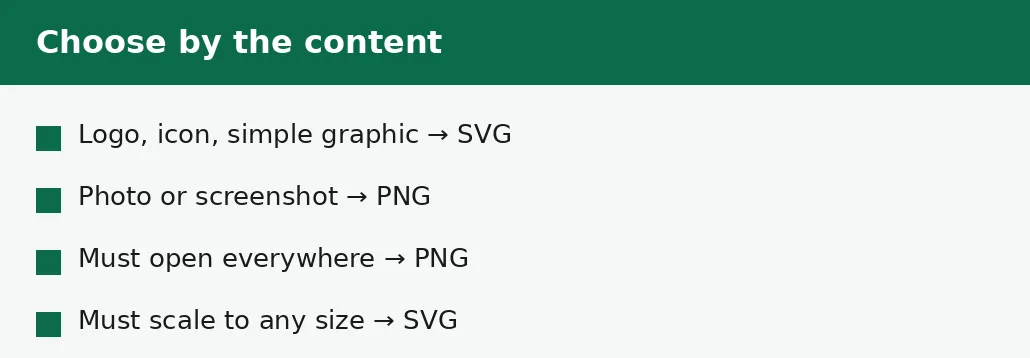
Use SVG for logos, icons and simple graphics that must stay sharp at any size: an SVG is a set of drawing instructions, not pixels, so it looks perfect on a phone screen and on a billboard, and it is usually only a few kilobytes. Use PNG for photographs, screenshots and anywhere an SVG will not open: a PNG is pixels, so it can hold any picture, and it opens in every app and browser. The two formats are not rivals for the same job — SVG is for shapes, PNG is for pictures — and the common mistake is using the wrong one: an SVG of a photograph is huge and pointless, and a PNG of a logo goes blurry the moment it is enlarged.
What SVG and PNG actually are
An SVG file is a list of instructions: draw a circle here, a line there, fill this shape with that colour. The picture is made fresh every time it is opened, at whatever size is asked for, which is why an SVG logo looks just as sharp on a watch face as it does on a billboard. A logo that would be a 200 KB PNG at one size is often a 5 KB SVG at every size — the instructions are short, and they never need to grow.
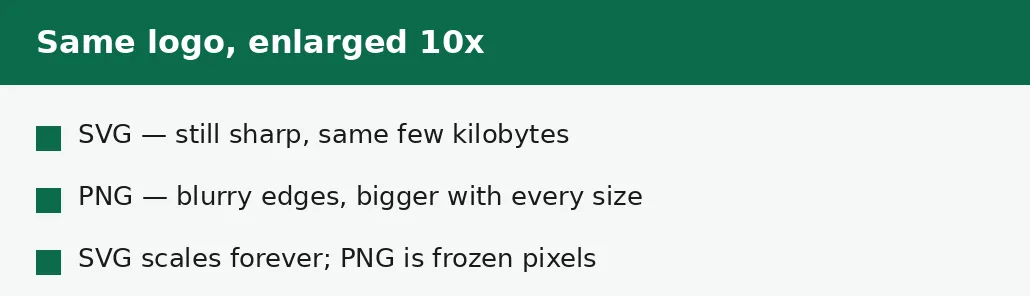
A PNG file is a grid of pixels: every dot of the picture, stored exactly. That makes it able to hold anything — a photograph, a screenshot, a painting — because any picture can be described as pixels. But the grid is fixed: a PNG made at 500 pixels wide and shown at 5000 must stretch each pixel ten times, and the result is visibly blurry. PNG trades the infinite scaling of SVG for the ability to hold any image at all.
How to convert an SVG to PNG
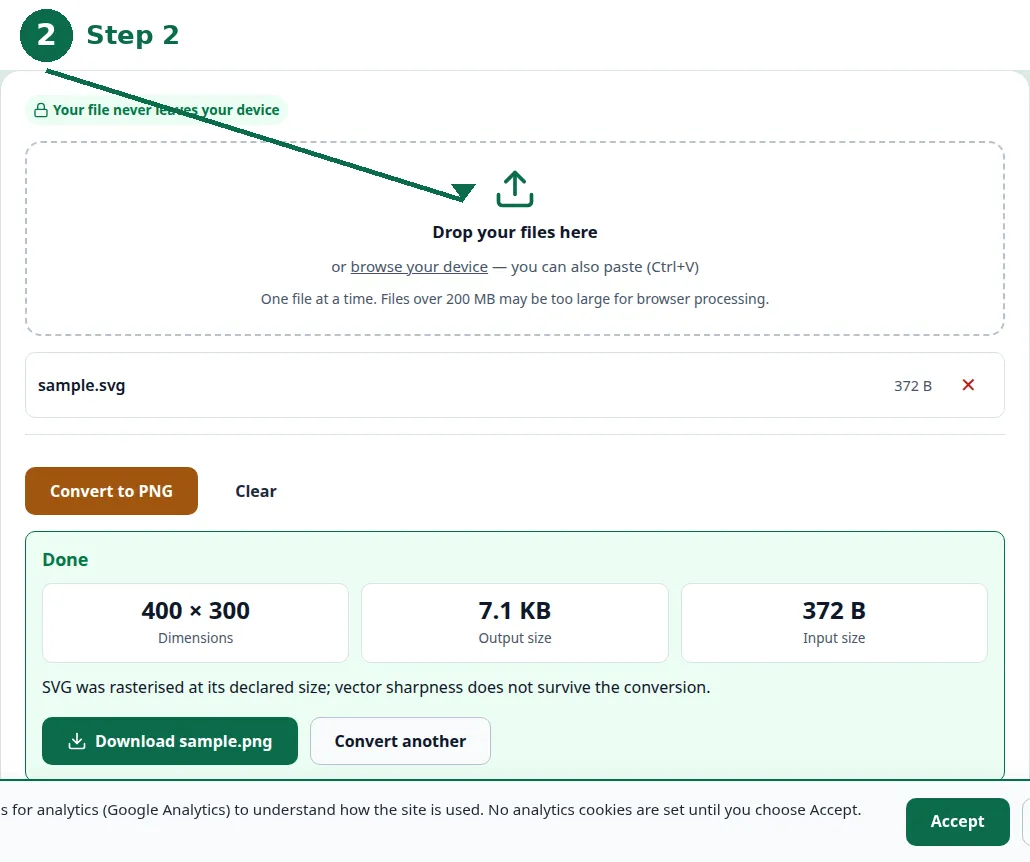
Converting an SVG to PNG freezes the graphic at one size: the drawing instructions are rendered into pixels at the width and height you choose, and from then on it is an ordinary PNG. The size you pick is therefore the whole decision — convert at the largest size the image will ever be shown at, because a PNG can be shrunk afterwards but never enlarged without going soft.
If you need the same graphic at several sizes — a small icon, a large banner — convert once at the largest size and shrink copies from that, or keep the SVG and convert each size from it. Never enlarge a PNG that was converted too small: the detail was never in the pixels, and enlarging only stretches them.
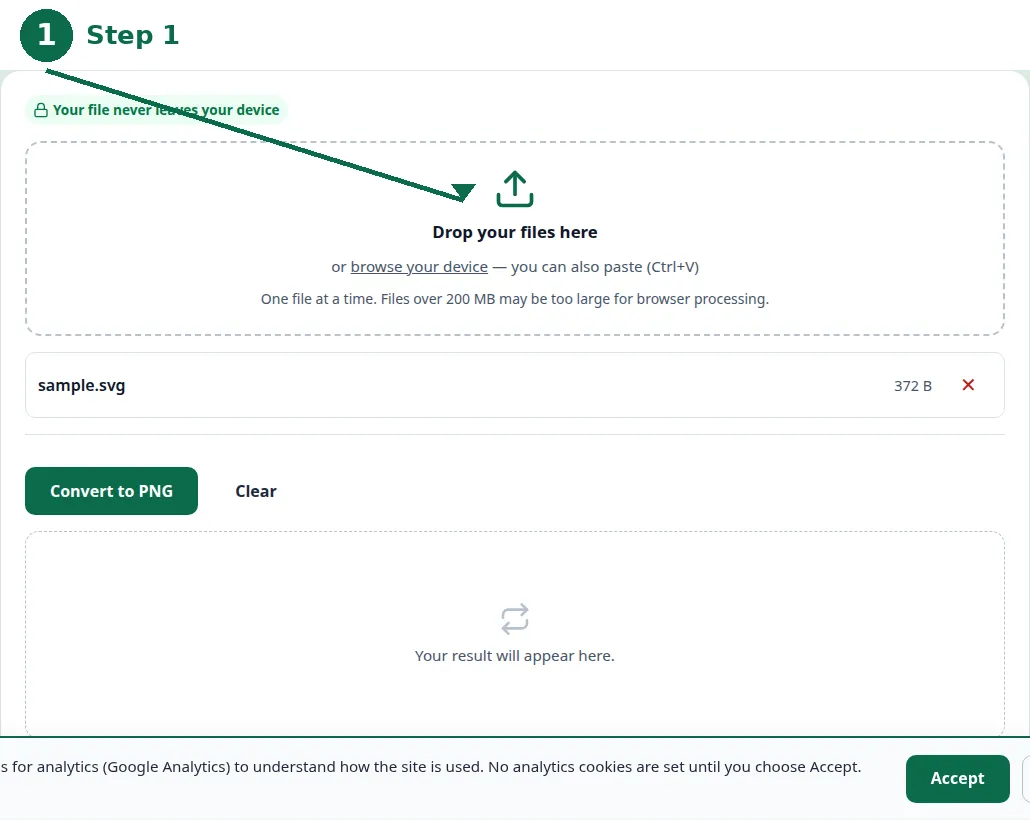
- Step 1 — Open the SVG to PNG tool and choose your SVG file.
- Step 2 — Set the size: the largest the image will ever be shown at.
- Step 3 — Click Convert and download the PNG.
- Step 4 — Open the PNG at full size and check the edges are sharp before you use it.
File sizes: where each format wins
For a simple logo, SVG wins by a mile: a few kilobytes against tens or hundreds of kilobytes for the same logo as a PNG at a usable size. The gap grows with the size — the SVG stays a few kilobytes at any size, while the PNG grows with every pixel. A website with twenty SVG icons loads in a fraction of the time of the same twenty icons as PNGs, which is why modern sites use SVG for icons almost without exception.
For a photograph, the contest is not close in the other direction: a photo as SVG would need an instruction for every shade change in the picture, and the file would be enormous — far bigger than the PNG, and slower to draw. PNG holds the photo in a few megabytes, and JPG holds it in a fraction of that. The formats are not competing for the same pictures; each one is unbeatable at its own job and useless at the other's.
| SVG | PNG | |
|---|---|---|
| What it stores | Drawing instructions | A grid of pixels |
| Scaling | Perfect at any size | Blurry when enlarged |
| Logos and icons | Best — tiny and sharp | Works, but fixed size |
| Photographs | Useless — huge files | Good — holds any picture |
| Transparency | Yes | Yes |
| Opens in | Browsers, design apps | Everything |
| Typical logo size | A few KB | Tens to hundreds of KB |
Which one for which job
Logos, icons, diagrams and simple illustrations belong in SVG: they are shapes, and SVG stores shapes. A company logo delivered as SVG works on a business card, a website header and a trade-show banner from the same file, with no re-exporting. An icon set as SVG loads fast and stays crisp on high-resolution screens, where a PNG icon would need several versions at several sizes.
Photographs, screenshots and complex images belong in PNG (or JPG for photos): they are pixels, and only a pixel format can hold them. A screenshot of an app, a photo from a camera, a scan of a document — none of these can be described as shapes, and trying to do so produces a huge, slow file. When the image is a picture rather than a drawing, PNG is the answer.
Compatibility: where each format fails
PNG opens everywhere: every browser, every image viewer, every phone, every document, every form that accepts an image. If there is any doubt about what the recipient can open, PNG is the safe choice, which is why converting SVG to PNG exists at all — it is the way to send a graphic to someone whose tools cannot read SVG.
SVG opens in browsers and design apps, but not everywhere: some document editors, form uploaders, messaging apps and older software refuse it, or show it badly. Email clients are a common trap — an SVG logo in an email signature may not display for the recipient at all. When the destination is unknown or old-fashioned, convert to PNG at a generous size and send that instead.
The mistakes that cost sharpness
The most common mistake is converting an SVG to PNG too small: a 200-pixel PNG made for a thumbnail and then used as a banner is a blurry banner, and the fix is to convert again from the SVG at the right size. Always convert at the largest size the image will ever need.
The second mistake is saving a photograph as an SVG — usually by accident, when a converter or app offers SVG as an export option. The result is a gigantic file that renders slowly and looks no better than the PNG. And the third mistake is using a PNG logo where an SVG was available: the logo looks fine until it is enlarged for a presentation or a print, and then the pixels show.
Troubleshooting
Why won't my SVG open in Word or in a form upload?
Some programs and uploaders do not accept SVG files. Convert the graphic to PNG at a generous size and upload that instead — PNG opens everywhere.
Why is my converted PNG blurry?
It was converted too small and then enlarged. Convert again from the SVG at the largest size the image will ever be shown at — a PNG can be shrunk afterwards, never enlarged.
Why is my SVG file enormous?
It probably holds a photograph or a very complex image. SVG is for shapes — logos, icons, diagrams. Photos and complex pictures belong in PNG or JPG, where they are far smaller.
Common questions
Is SVG better than PNG?
For logos, icons and simple graphics, yes — SVG is smaller and stays sharp at any size. For photographs and screenshots, PNG is the only sensible choice of the two.
Can I convert PNG to SVG?
Only for simple graphics, and the result is an approximation: the converter traces the pixels into shapes, which works for a logo and fails for a photo. For photos, keep the PNG.
What size should I convert an SVG to PNG at?
The largest size the image will ever be shown at. A PNG can be shrunk afterwards but never enlarged without going soft.
Do SVG files support transparency?
Yes. Both SVG and PNG support transparency, so a logo with a see-through background works in either format.
Is my file uploaded anywhere when I convert it?
No. Conversion runs entirely in your browser. Nothing is sent to a server, there is no account, and closing the tab clears your file from memory.
Should I use SVG for my website's logo?
Yes — an SVG logo stays sharp on every screen, loads fast, and needs no separate versions for different sizes. Keep a PNG copy for places that do not accept SVG, like email signatures.
Summary
SVG is drawing instructions: tiny, infinitely scalable, and the right format for logos, icons and simple graphics. PNG is pixels: able to hold any picture, and the right format for photographs, screenshots and anywhere an SVG will not open. Convert SVG to PNG at the largest size the image will ever need, and never enlarge a PNG that was converted too small.