How to rotate a PDF and save it permanently
Last updated: 8 November 2026.

Rotating a PDF in a viewer only changes how you see it — the file itself stays sideways, and the next person who opens it sees it sideways too. To fix it permanently, rotate the pages with a tool that writes the change into the file, then download the result and check it opens the right way up. The usual cause is a scan taken with the phone or scanner held the wrong way, and the fix takes a minute: choose the file, set the direction, rotate, and save the new file.
Rotating the view is not rotating the file
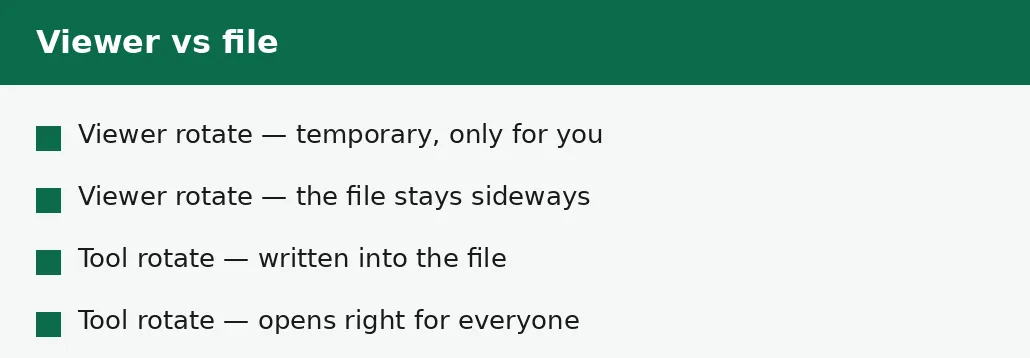
Every PDF viewer has a rotate button, and it is tempting to think it fixes the file. It does not: it turns the pages on your screen, for this viewing, and the change vanishes when you close the file. Send that file to someone else and they open it sideways, exactly as before — because the file itself never changed, only your view of it did.
The permanent fix writes the rotation into the file: the pages are stored the right way up, so the file opens the right way up for everyone, in every viewer, on every device. That is what the Rotate PDF tool does, and it is the difference between fixing the problem and hiding it from yourself for an afternoon.
How to rotate a PDF and save it permanently
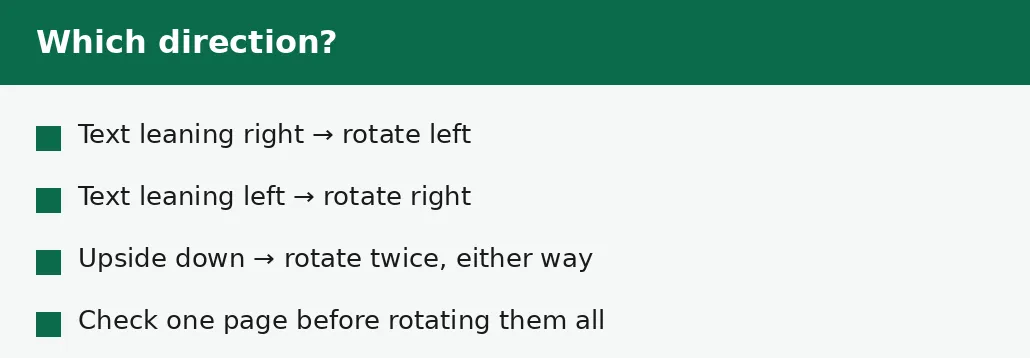
The method is short, with one decision that matters: the direction. Look at a page and see which way the text leans — if the tops of the letters point right, rotate left; if they point left, rotate right; if the page is upside down, rotate twice in either direction. Guessing the direction wastes a round trip, so look first and rotate once.
Rotate the whole document when every page is sideways the same way, which is the usual case for a scan. Rotate single pages when only some are sideways — a document assembled from several scans often has one or two pages turned, and rotating the whole file would fix those and break the rest.
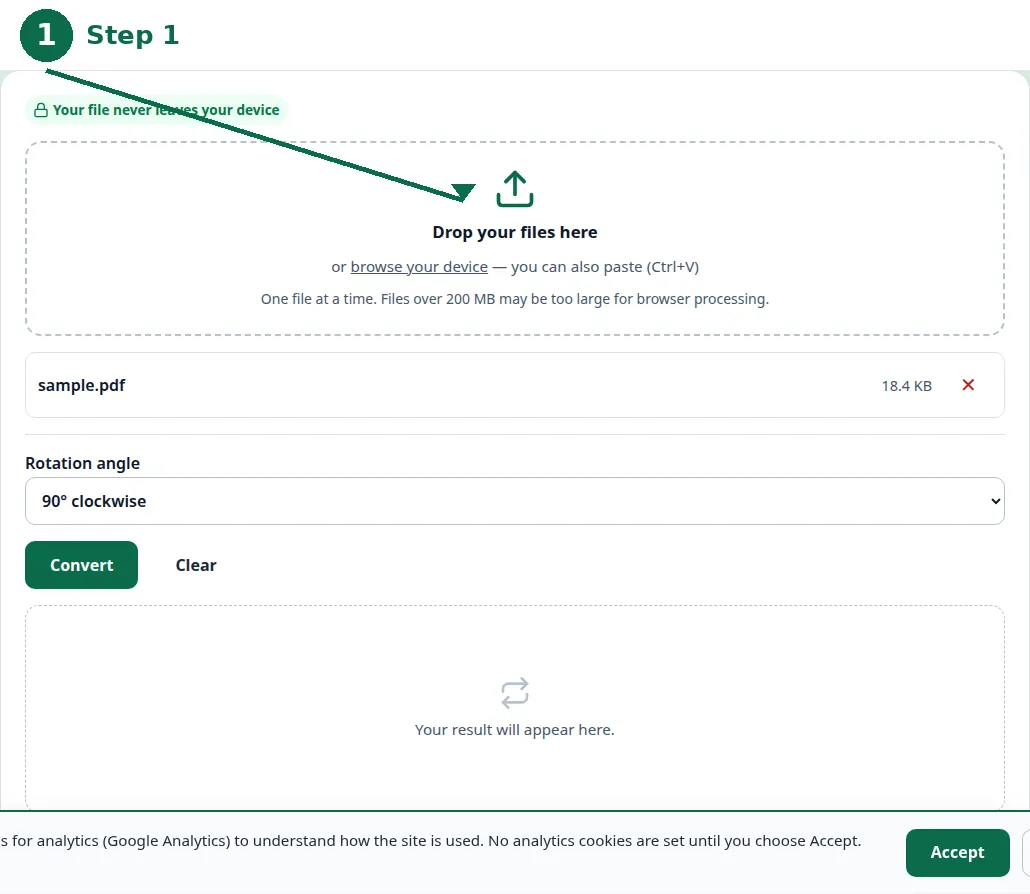
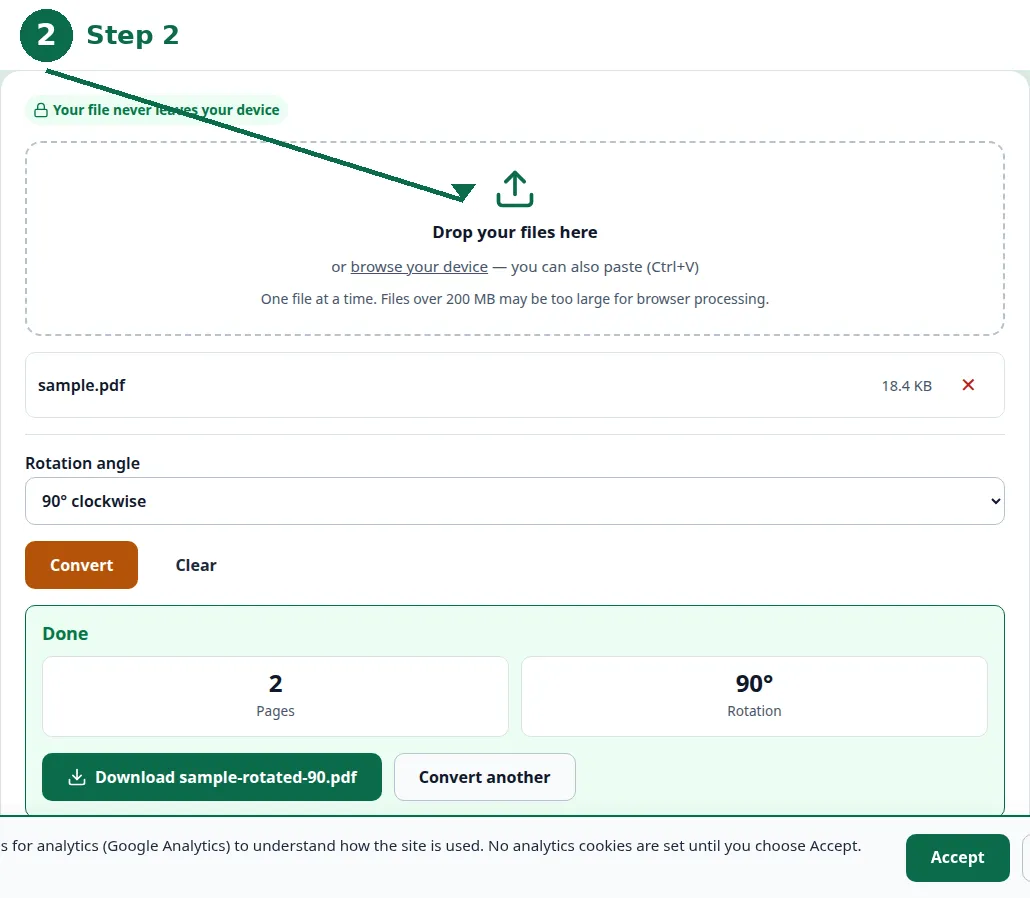
- Step 1 — Open the Rotate PDF tool and choose your PDF file.
- Step 2 — Look at a page and pick the direction: left, right, or twice for upside down.
- Step 3 — Click Convert and download the rotated PDF.
- Step 4 — Open the result fresh and check the pages open the right way up.
All pages, or just some?
A document scanned in one pass is usually sideways in the same direction on every page, so rotating all pages at once is the right fix. A document assembled from several sources — pages scanned on different days, a photo inserted sideways, a form printed landscape among portrait pages — needs pages rotated individually, because a single direction will not fit them all.
When only some pages are wrong, fix those pages and leave the rest alone. Rotating a correct page to fix an incorrect one trades one problem for another, and the result looks careless even though the intention was careful. Check the document page by page after rotating, and confirm every page is the right way up before you send it.
| Situation | Rotate | Why |
|---|---|---|
| Whole scan sideways | All pages, one direction | One pass, one direction. |
| One or two pages sideways | Those pages only | Rotating the rest would break them. |
| Page upside down | That page twice | Two quarter-turns make a half-turn. |
| Mixed directions | Page by page | No single direction fits them all. |
Why pages come out sideways
The usual cause is a scan: a phone held sideways while photographing a page, a scanner fed paper the wrong way, a document photographed in landscape when it is portrait. The scanner or phone records the image as it saw it, and the PDF stores that — the file is faithful to the scan, and the scan was sideways.
The other cause is a mixed document: pages from different sources, assembled into one PDF, where one source was landscape and the rest portrait. The fix is the same in both cases — rotate the pages that are wrong — but the mixed case needs the page-by-page decision, because the directions differ.
Checking the result
The test for a permanent rotation is to open the file fresh — close it, open it again, and see whether the pages are still the right way up. Better still, open it in a different viewer, or on a different device: if it opens correctly there, the rotation is in the file, and it will open correctly for the recipient too.
Check every page, not just the first: a document with one page still sideways is a document that still looks broken, and the recipient will not know the other pages were fixed. Keep the original until the rotated file is checked, in case the direction was wrong and the rotation must be redone from the source.
Troubleshooting
Why is my PDF still sideways after I rotated it?
You rotated the view, not the file — the viewer's rotate button is temporary. Use the Rotate PDF tool, which writes the rotation into the file, then download the result.
Why did rotating fix some pages and break others?
The pages were sideways in different directions, and one direction was applied to all of them. Rotate the pages individually, in the direction each one needs.
Why is my page upside down instead of sideways?
It was scanned upside down, not sideways. Rotate it twice in either direction — two quarter-turns make a half-turn.
Common questions
How do I rotate a PDF permanently?
Use the Rotate PDF tool: choose the file, pick the direction, convert, and download the result. The rotation is written into the file, so it opens the right way up for everyone.
Why does rotating in my viewer not save?
Because the viewer's rotate button only changes how you see the file, for this viewing. It never changes the file itself — close it and the pages are sideways again.
Which direction should I rotate?
Look at a page: if the tops of the letters point right, rotate left; if they point left, rotate right; if the page is upside down, rotate twice in either direction.
Can I rotate just one page of a PDF?
Yes — rotate only the pages that are sideways, and leave the rest alone. Rotating a correct page to fix an incorrect one trades one problem for another.
Is my file uploaded anywhere when I rotate it?
No. Rotating runs entirely in your browser. Nothing is sent to a server, there is no account, and closing the tab clears your file from memory.
What if I rotate the wrong way?
Keep the original file, and rotate again from it in the other direction. A rotation is reversible as long as you still have the source.
Summary
Rotating in a viewer is temporary — it changes what you see, not the file. To fix a sideways PDF permanently, rotate it with the Rotate PDF tool, which writes the rotation into the file, then download the result and open it fresh to confirm the pages are the right way up. Look at a page before you pick the direction, rotate only the pages that need it, and keep the original until the result is checked.