How to add days to a date
Last updated: 9 November 2026.

Adding days to a date means counting forward on the calendar: 1 January 2026 plus 30 days is 31 January 2026, because January has 31 days. The arithmetic is simple in principle and fiddly in practice, because months have different lengths and February has 28 days — 29 in a leap year — so adding 30 days to 1 February 2026 gives 3 March, not 31 February, which does not exist. The safe way is to let a calculator do the counting: enter the start date and the days to add, and read the new date.
What adding days to a date means
Adding days to a date answers the question on what date something falls: a deadline 30 days from now, a delivery 14 days after ordering, a return date 90 days after purchase, a due date 280 days after conception. The start date is given, the number of days is given, and the answer is a date — but the calendar is not a number line, so the answer cannot be found by adding numbers.
The reason is that months have different lengths: January 31 days, February 28 (29 in a leap year), March 31, April 30, May 31, June 30, July 31, August 31, September 30, October 31, November 30, December 31. Adding 30 days to a date in January lands on a different day of the month than adding 30 days to a date in February, because the months the count passes through are different lengths. The calendar does the work; the calculator keeps track of it.
How to add days to a date
Enter the start date and the number of days to add, and read the new date. The tool counts forward day by day across month ends and year ends, so 20 December 2026 plus 30 days is 19 January 2027 — across the new year without any extra thought. Years and months can be added the same way: adding 1 month to 31 January gives 28 February (or 29 in a leap year), because February has no 31st.
Check the answer against a rough estimate before you rely on it: 30 days is about a month, 90 days is about three months, 365 days is about a year. If the calculator says 1 January plus 30 days is 31 March, something is wrong — the answer should be near the end of January, not the end of March.
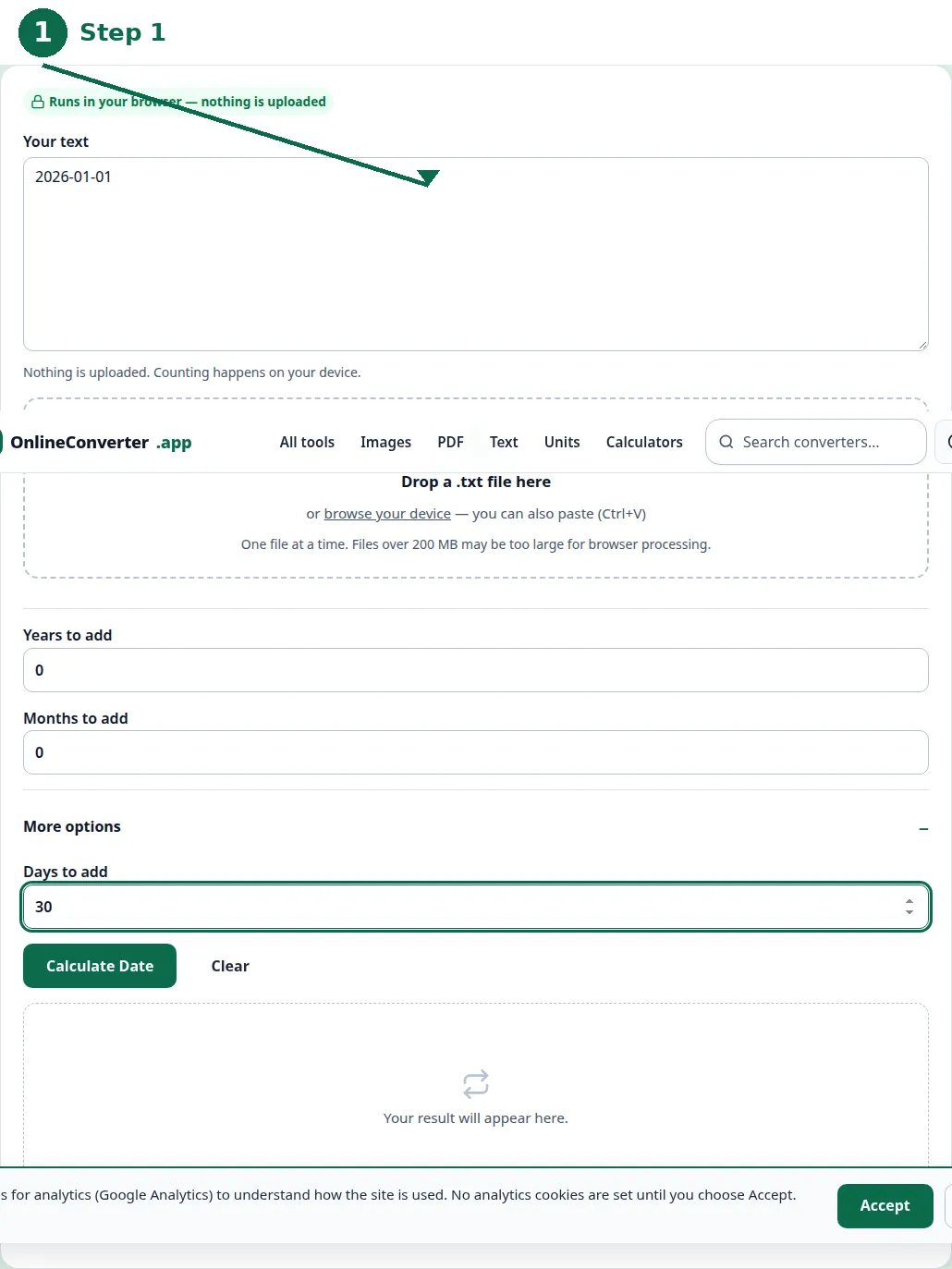
- Step 1 — Open the Date Calculator and enter the start date.
- Step 2 — Enter the days to add — or years and months, if the period is longer.
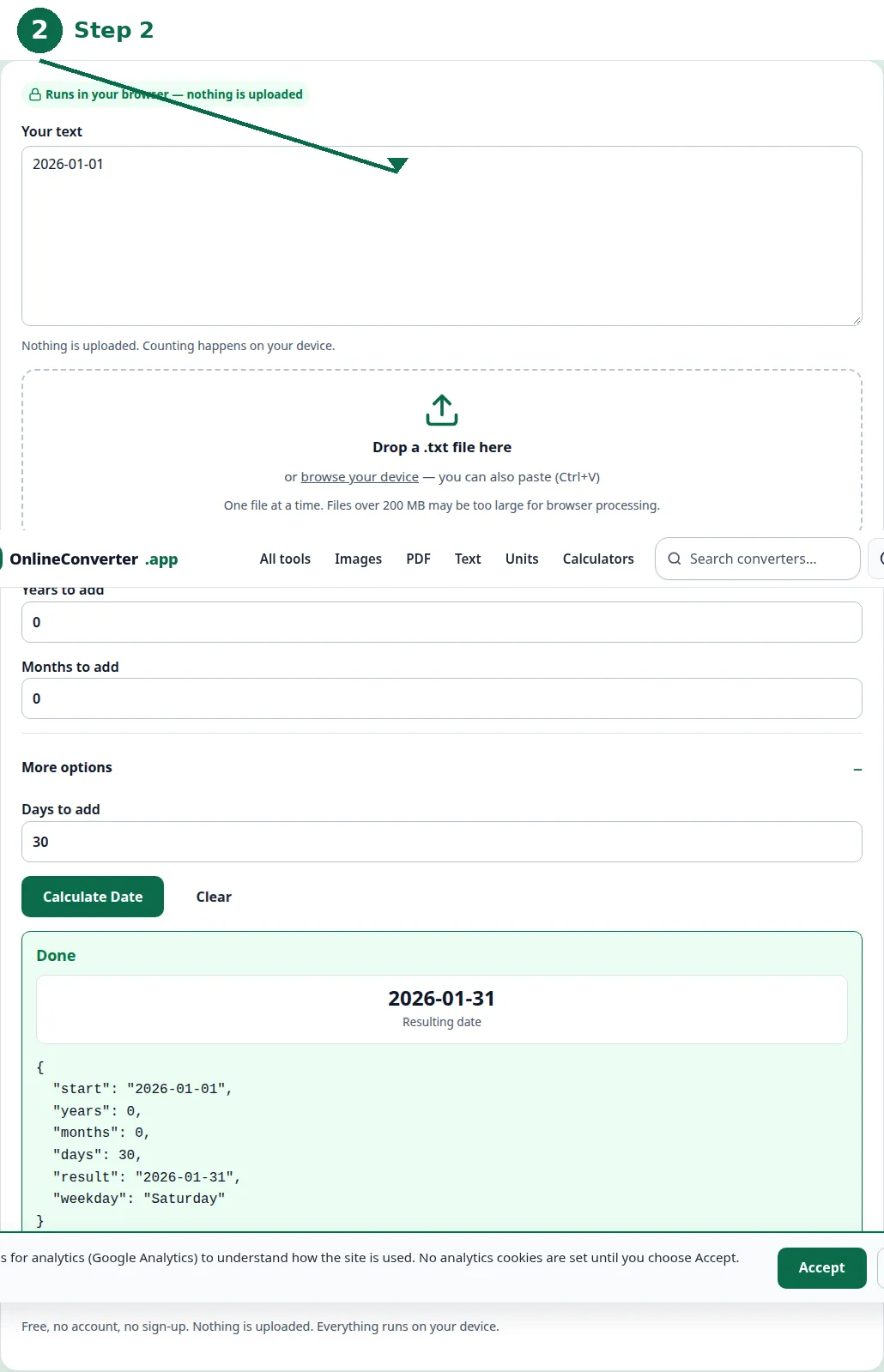
- Step 3 — Click Calculate and read the new date.
- Step 4 — Sanity-check it: 30 days is about a month, 90 days about three months, 365 days about a year.
Worked examples
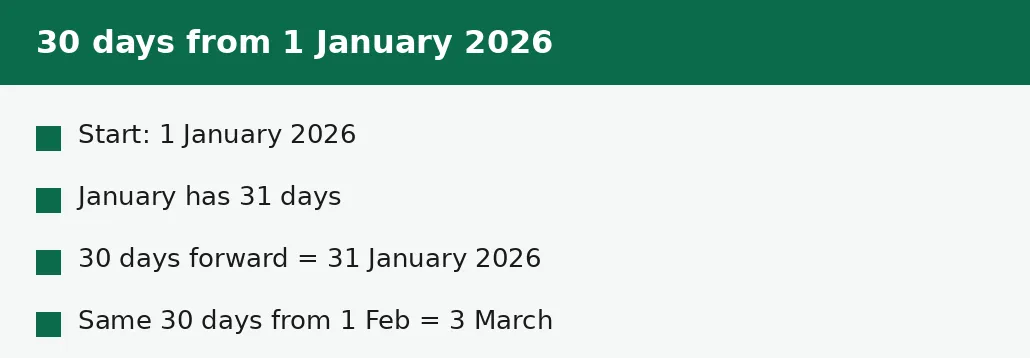
One January plus 30 days: January has 31 days, so 30 days forward from 1 January lands on 31 January 2026. One February plus 30 days: February 2026 has 28 days, so the count runs 27 days to the end of February (1 February plus 27 days is 28 February) and 3 more days into March, landing on 3 March 2026. The same 30 days, two different answers, because the months are different lengths.
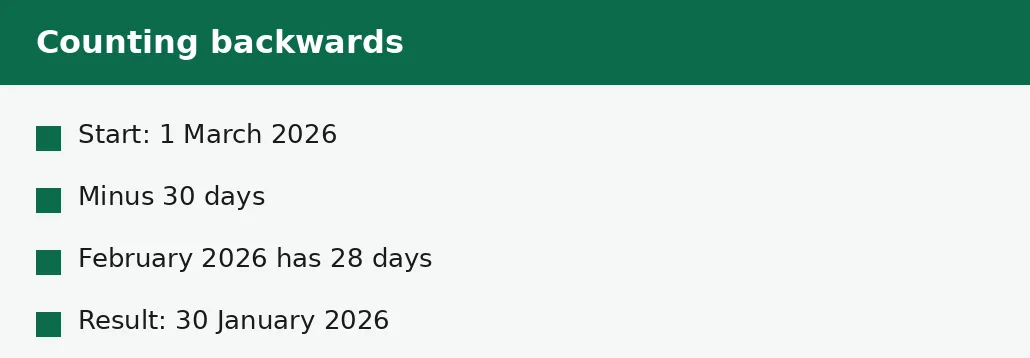
Twenty December plus 30 days: December has 31 days, so 11 days forward reaches 31 December, and 19 more days into January lands on 19 January 2027. And 1 March 2026 minus 30 days: counting backwards, 1 day back is 28 February, and 29 more days back through February's 28 days lands on 30 January 2026. Negative days count backwards the same way positive days count forwards.
| Start date | Days added | Result | Why |
|---|---|---|---|
| 1 Jan 2026 | +30 | 31 Jan 2026 | January has 31 days. |
| 1 Feb 2026 | +30 | 3 Mar 2026 | February 2026 has 28 days. |
| 1 Feb 2024 | +30 | 2 Mar 2024 | February 2024 has 29 days (leap year). |
| 20 Dec 2026 | +30 | 19 Jan 2027 | Crosses the new year. |
| 1 Mar 2026 | -30 | 30 Jan 2026 | Counts backwards through February. |
| 15 May 2026 | +90 | 13 Aug 2026 | About three months forward. |
Month ends, leap years and year ends
Month ends are where date arithmetic goes wrong by hand: adding one month to 31 January gives 28 February, because February has no 31st, and adding one month to 31 March gives 30 April, for the same reason. The calculator handles the missing days by landing on the last day of the shorter month — which is the convention most people expect, though it is worth checking when a deadline depends on it.
Leap years add a day to February — 29 days instead of 28 — and that one day shifts every date after it in the year. Adding 30 days to 1 February 2024, a leap year, lands on 2 March, a day earlier in March than the same calculation in 2026. The leap-year rule is that a year divisible by 4 is a leap year, except years divisible by 100 unless they are also divisible by 400 — so 2024 is a leap year, 2100 will not be, and 2000 was.
Deadlines: calendar days vs working days
A deadline of 30 days usually means 30 calendar days — every day counts, including weekends and holidays. But some deadlines mean 30 working days, which is about six weeks of calendar time, and the two must not be confused: a form due in 30 working days from 1 January is due around 12 February, not 31 January. Read the wording before you calculate — if it says working days or business days, the answer needs a working-day count, not a calendar one.
Also check whether the start day counts: a deadline of 30 days from 1 January usually means the 31st, counting 2 January as day one. Some rules count the start day itself, which gives the 30th. The difference is one day, and for a deadline one day is everything — when it matters, confirm the counting rule with whoever set the deadline rather than guessing.
The mistakes people make
The most common mistake is treating months as 30 days: adding 30 days to 1 February and expecting 3 March in a leap year, or 2 March in an ordinary one, and getting the wrong March date. Months are 28 to 31 days, and the only safe way is to count on the calendar or use the calculator.
The second mistake is forgetting the year end: 20 December plus 30 days is 19 January of the next year, not 50 December, which does not exist. And the third mistake is the deadline confusion above — calendar days versus working days — which has cost more missed deadlines than any arithmetic slip.
Troubleshooting
Why is my result a different month than I expected?
Months have different lengths. Thirty days from 1 February lands in March, because February has only 28 days. Count on the calendar, or trust the calculator and sanity-check with the rough rule: 30 days is about a month.
Why does adding a month to 31 January give 28 February?
February has no 31st, so the calculator lands on the last day of the shorter month. That is the usual convention — but check it when a deadline depends on the exact day.
Why is my deadline a day out?
The counting rule differs: some deadlines count the day after the start as day one, others count the start day itself. One day is the difference — confirm the rule with whoever set the deadline.
Common questions
What is 30 days from 1 January 2026?
31 January 2026. January has 31 days, so 30 days forward from 1 January lands on 31 January.
What is 30 days from 1 February 2026?
3 March 2026. February 2026 has 28 days, so the count runs 27 days to the end of February and 3 more days into March.
How do I add months to a date?
Add the months to the month number and let the calendar handle the year: 15 May plus 3 months is 15 August. If the day does not exist in the target month — 31 January plus one month — the result lands on the last day of that month, 28 February.
Can I subtract days from a date?
Yes — enter a negative number of days. 1 March 2026 minus 30 days is 30 January 2026.
What is the difference between calendar days and working days?
Calendar days count every day including weekends; working days count only Monday to Friday, excluding holidays. Thirty working days is about six calendar weeks — always check which one a deadline means.
Does adding days handle leap years?
Yes. The calculator counts February as 29 days in a leap year — 2024, 2028 — and 28 days otherwise, so dates after February in a leap year shift by one day compared with an ordinary year.
Summary
Adding days counts forward on the calendar: 1 January 2026 plus 30 days is 31 January, and 1 February 2026 plus 30 days is 3 March, because February has only 28 days. Months are 28 to 31 days long, leap years add a day to February, and deadlines may mean working days rather than calendar days — check the wording, and let the calculator do the counting.